Global Search
Global Search finds Kubernetes resources across namespaces and resource types in the currently selected cluster without navigating the sidebar.
Opening the Search Dialog
| Platform | Shortcut |
|---|---|
| macOS | Cmd+K |
| Windows / Linux | Ctrl+K |
Alternatively, click the Search icon in the top navigation bar.
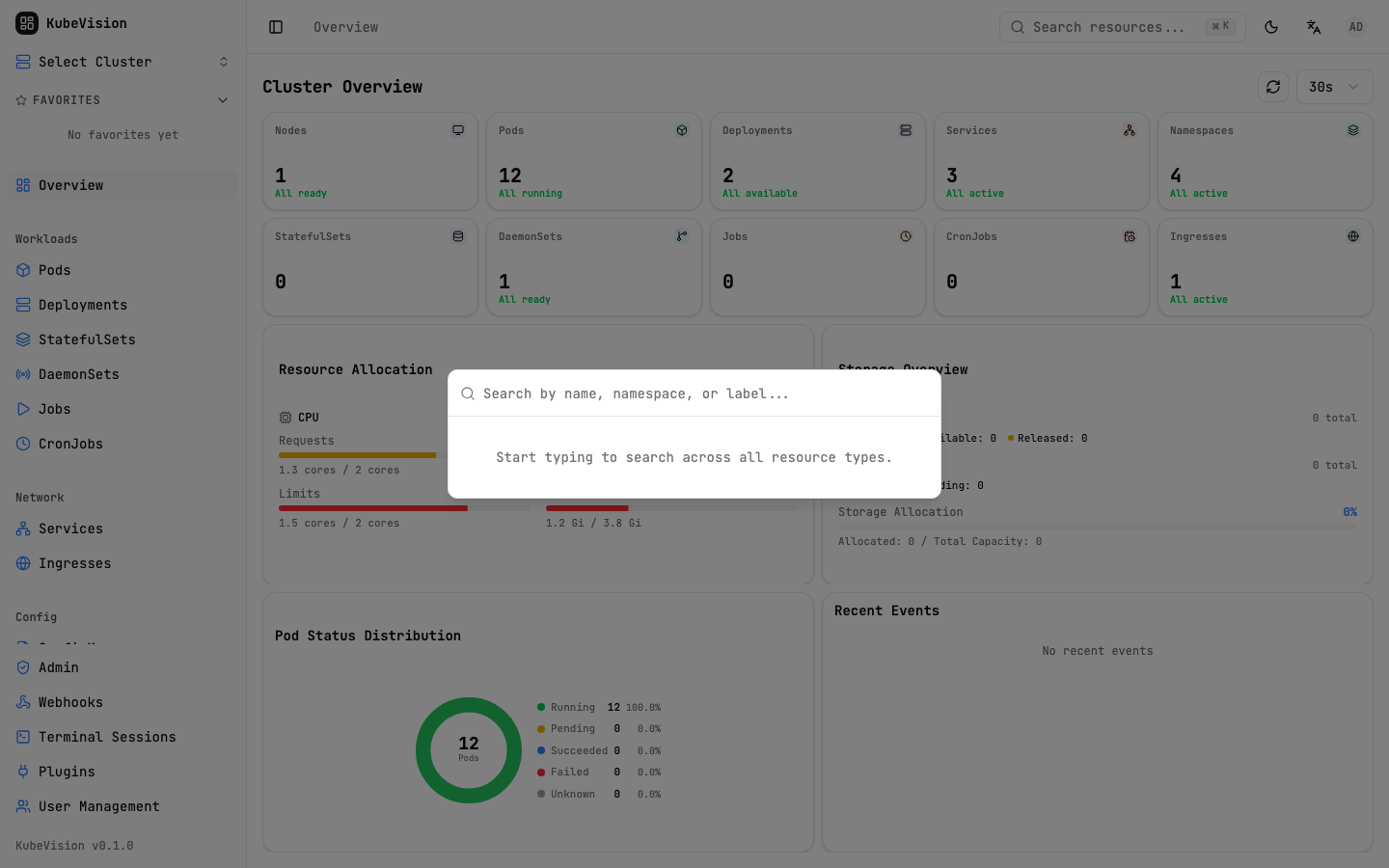
Global Search opens over the current workspace and supports keyboard-first navigation.
How It Works
Results appear after a short input debounce. The frontend calls the selected
cluster's /api/v1/clusters/:id/search endpoint, and the backend searches the
resource data available to that user. Results are grouped by resource type and
cached briefly in the browser.
Type "nginx" → matches:
  Deployment  nginx-deployment      default      prod-cluster
  Pod         nginx-deployment-xyz  default      prod-cluster
  Service     nginx-svc             default      prod-cluster
  Ingress     nginx-ingress         kube-system  prod-cluster
Matching
Search is case-insensitive and can match resource identity fields without an exact full name:
| Query | Matches |
|---|---|
nginx | Resources with nginx in their searchable fields |
configmap | ConfigMap resources |
kube sys | Resources in kube-system namespace |
Keyboard Navigation
Once the dialog is open, use the keyboard exclusively:
| Key | Action |
|---|---|
Arrow Up / Down | Move through results |
Enter | Navigate to the selected resource |
Escape | Close the dialog |
Result Layout
Each result row shows four pieces of information:
[Kind icon]  Resource Name          Namespace        Cluster
             nginx-deployment       default          prod-cluster
Click or press Enter on a result to jump directly to that resource's detail page.
Scope
Global Search is scoped to the currently selected cluster and the current user's RBAC access. It covers the resource types supported by the backend, including discovered custom resources where available. Switch clusters before searching another cluster.
Global Search is the fastest way to navigate KubeVision. Power users rarely touch the sidebar at all.
Related
- Cluster Management — Select the cluster to search
- Favorites — Pin resources you access most often